If you have any problems installing or running our software please send email to:
Support@GreenScreenWizard.com
The serial number lookup wizard is used to locate your serial number using your activation email.
Run the Serial Number Lookup Wizard
The Reset/Update Wizard is used if you have used your serial number too many times or you would like use your serial number for a discount on upgrades or other soft packages.
Run the Reset/Update Wizard
The activation wizard is used to create activation codes for computers not connected to the internet.
Run the Activation Wizard
ResetUpgradeSerialNumber.aspx
How to Use Gmail as your SMTP Server
Gmail requires that you create a special password for applications that want to access the Gmail Smtp Server.
Click here to learn more...

All downloads are Code Signed with Verisign for your protection.
Green Screen Wizard Version 15 Standalone Photo Software for Windows
Windows Vista, 7, 8 , 10 or 11 |
This setup program will install the Full, Pro Studio Editor and
Batch/Event versions in Windows. The features available are determined by your serial number. It improves on some
existing features: the Green Screen Algorithm , the Editor, Skin Smoothing and
adds some new ones Edge Blending, Hair Protections, Image Compare, Batch Review,
XML and Background sub folder batching.
Photoshop is not required.
Download is about 40 MB.
|
Download |
Green Screen Wizard Webcam for Windows
Windows Vista, 7, 8 , 10 or 11 |
This setup program will install the Green Screen Wizard Webcam Software
Version 1
Download is about 30 MB.
SetupGSWWebcam1.exe is the downloaded install file that will inturn install the following:
GreenScreenWizardWebcam.exe - Green Screen Wizard Webcam Software
Various Support programs for the virtual camera:
AMCCap.exe,devcon.exe,VCamDemo.exe
|
Download |
Green Screen Wizard Version 5.0 Photo Booth Software for Windows
Windows Vista, 7, 8 , 10 or 11 |
This setup program will install the Green Screen Wizard Photo Booth Software, and the Camera drivers.
Version 5 was a complete redesign of the product. The software is now more programmable and no longer depends on the browser for screen generation. Great support for the Logitech 4k webcam was added.
Photoshop is not required.
Download is about 50 MB.
SetupGSWPhotobooth5.exe is the downloaded installer file that will inturn install the following:
GreenScreenWizardPhotobooth5.exe -The Green Screen Wizard Photobooth Software
GSWDigicamPhotoboothCapture4.exe - Program linking Camera output to Photobooth Software
|
Download |
Green Screen Wizard Version 15.0
Standalone Photo Software for Macintosh
Monterey,Ventura,Sonoma (runs on m1 silicon)
|
This setup program will install the Full, Pro Studio Editor and
Batch/Event versions on the Macintosh. The features available are determined by your serial number. It improves on some
existing features: the Green Screen Algorithm , the Editor, Skin Smoothing and
adds some new ones Edge Blending, Hair Protections, Image Compare, Batch Review,
XML and Background sub folder batching. Supports Lighroom Link
Photoshop is not required.
Download is about 30 MB.
GreenScreenWizardSetup15.dmg is the downloaded installer file it inturn installs:
GreenScreenWizard.app- Green Screen Wizard Main Program
|
Download |
Green Screen Wizard Version 3.0 Photoshop Plugin for Windows
Windows Vista, 7, 8 , 10 or 11 |
Green Screen Wizard Photoshop PlugIn 3.0 runs in Windows.
Photoshop is required.
Download is about 9 MB.
SetupGSWPlugin.exe is the downloaded installer file that will inturn install the following:
GreenScreenWizard64.8bf,GreenScreenWizard.8bf - Demo Plugin Files
GreenScreenWizardPluginActivation.exe -The Activation Wizard will copy the demo version plugin files GreenScreenWizard64.8bf,GreenScreenWizard.8bf to photoshop folders
|
Download |
Green Screen Wizard Macintosh Photoshop Plugin 3.0
Snow Leopard, Lion, Mountain Lion, Mavericks, Yosemite, El Capitan, Sierra |
Green Screen Wizard Photoshop PlugIn 3.0 runs on Macintosh .
Photoshop is required.
Download is about 9 MB.
|
Download |
GSWPluginInstaller.dmg is the downloaded installer file it inturn installs:
ActivateGSWizard.app- program to copy plugin files to Photoshop directories
How can I have someone wear green in a green screen photo?
The simple answer is that is you should not do that, but if you have to:
Make sure the screen has even lighting
Make sure the green is a different shade than the background
Use the Airbrush Editor to fix it
Use a blue screen if you have one
I have multiple accounts on my computer how can I let all the accounts use the Wizard
First of all make sure you are running version 6.1 or higher. Then after you install the Wizard you will have a folder called "Green Screen Wizard" in your MyDocuments area. Copy that folder to your C drive so that the new location is:
C:\Green Screen Wizard
If you install background or overlays at a later time you must copy them to the C drive as well.
When
I take photos of people's feet it looks like they are floating. What can I do?
Most of the time, it is easiest simply not to include feet
in the photo. If you must, then have them stand on a rug, not on the green screen.
What
is the best kind of Green Screen to get?
It is a matter of preference, but Green Screen Wizard works best with screens
that are Greenish-Yellow rather then Greenish-Blue. Make sure that the screen is
woven polyester or cloth, not just a sheet of green plastic.
Do
I need to buy your backgrounds to use the product?
No Green Screen Wizard works with any backgrounds.
My
blacks do not seam black anymore.
First make sure you have the latest software. The second slider on the advanced combine page
will force black areas to be true black, but will also force areas of the green screen
that had shadows on them to reappear.
Green Screen Wizard
changed the colors on my photo.
This is correct behavior. See the section on spill in the
help file.
Can
Green Screen Wizard read Tiff files?
There are
many flavors of tif files. The difference is the kind of lossless compression
algorithm they use inside them. Green Screen Wizard can read Photoshop tiffs stored as RGB but
not CYMA format. Nikon has its own compression algorithm for tiff files that
Green Screen Wizard cannot read. The Photoshop Plug-in will, of course, read any file format that
Photoshop will process.
My
original photo was over a megabyte and the Green Screen Wizard output jpg is small.
Version 9 changes the jpeg compression to minimum compression. Still on the
front panel of Green Screen Wizard there is a selector that determines the size and quality of
the image. The number of pixels in the output is the (width *
DotsPerInch)*(height*DotsPerInch)
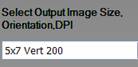
So the
input photo is scaled up or scaled down to (5*200*7*200)= 1.4 mega pixels
Image Size 1000x1400
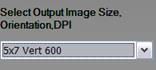
So the
input photo is scaled up or scaled down to (5*300*7*300)= 3.1 mega pixels
Image Size 1500x2100
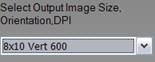
So the
input photo is scaled up or scaled down to (5*600*7*600)= 12.6 mega pixels
Image Size 2400x4200
Green Screen Wizard does
this scaling to make the product easy to use. For most people the 300 DPI is
more then most printers can handle. The 600DPI was added for pro photographers.
Now that the Photoshop Plug-in is available, that may be a better choice for the
pro photographers.
If you
output the image as a jpg then the file will be compressed. If you need a big
file then add .tif or .png to then end of your file name when you save it.
Can Green Screen Wizard print?
All versions of Green Screen Wizard can print.
Can Green Screen Wizard work with a
blue screen?
Yes, Green Screen Wizard supports both green and blue screen photos. Simply go
to the home page and click Blue Screen Processing.
I still see some green in my photo.
Read Section 7, "Combining Images" in Green Screen Wizard's Help
section. Green or blue removal is a challenging problem, and Green Screen Wizard offers many powerful tools for solving the
various issues. In the standalone product on the advanced combine page there is a slider called add green to the right. sliding this slider left will remove most green. Be careful not to slide it too far as it will turn some areas pink.
What is an activation code and how do
I get one?
The activation code is a key that uniquely identifies your copy of Green Screen
Wizard. Use the Activation Wizard link on the left of this page or
send an email to Support@GreenScreenWizard.com. In the email, be sure to
include your hardware code and your serial number.
How many times can I install Green
Screen Wizard?
Green Screen Wizard can be installed on four computers. The Serial number you receive with your Green Screen Wizard
purchase will stop working after four installations and you will need to buy an new copy.